
On this page
Engineering
15 min read

Dedicated vs. Serverless GPU Inference: A CTO's 2026 Guide

Izzy A
Izzy A
CTO @PromptMetrics

Torn between dedicated and serverless GPU? Our CTO guide offers a data-driven breakdown, TCO calculations, and a strategy for optimizing your AI infrastructure.

Dedicated vs. Serverless GPU Inference: A CTO's 2026 Guide

Dedicated vs Serverless GPU Inference: A CTO's 2026 Guide

Who This Comparison Is For

This guide is for AI CTOs, VPs of Engineering, and Heads of Infrastructure who are seeing their cloud bills spiral (often consuming 40–60% of the technical budget) and are torn between the predictability of provisioned hardware and the elasticity of serverless.

If you are trying to balance latency SLAs with unit economics while navigating the EU AI Act, this comparison provides the math, market data, and operational reality check you need.

TL;DR: The 3-Question Test

Don't have time to run the complete TCO analysis? Start here.

  1. Is your GPU active >30% of the time (approx. 7 hours/day)?Go Dedicated (Optimize for unit economics).

  2. Is your traffic spiky but predictable (e.g., 9 AM logins)?Go Hybrid (Dedicated base + Serverless peaks).

  3. Is your traffic sporadic, or are you pre-PMF?Go Serverless (Scale to zero, avoid idle waste).

Exception: Real-time SLAs (<100ms) or strict data residency (GDPR)? → Dedicated Only.

The most expensive bill on your desk right now is likely your compute.

In 2026, the "AI Boom" has settled into an "AI Operations" reality. You aren't just shipping AI-enabled software anymore; you are managing a P&L. And the single biggest lever you have on that P&L is the architectural decision between Dedicated GPU Inference and Serverless GPU Inference.

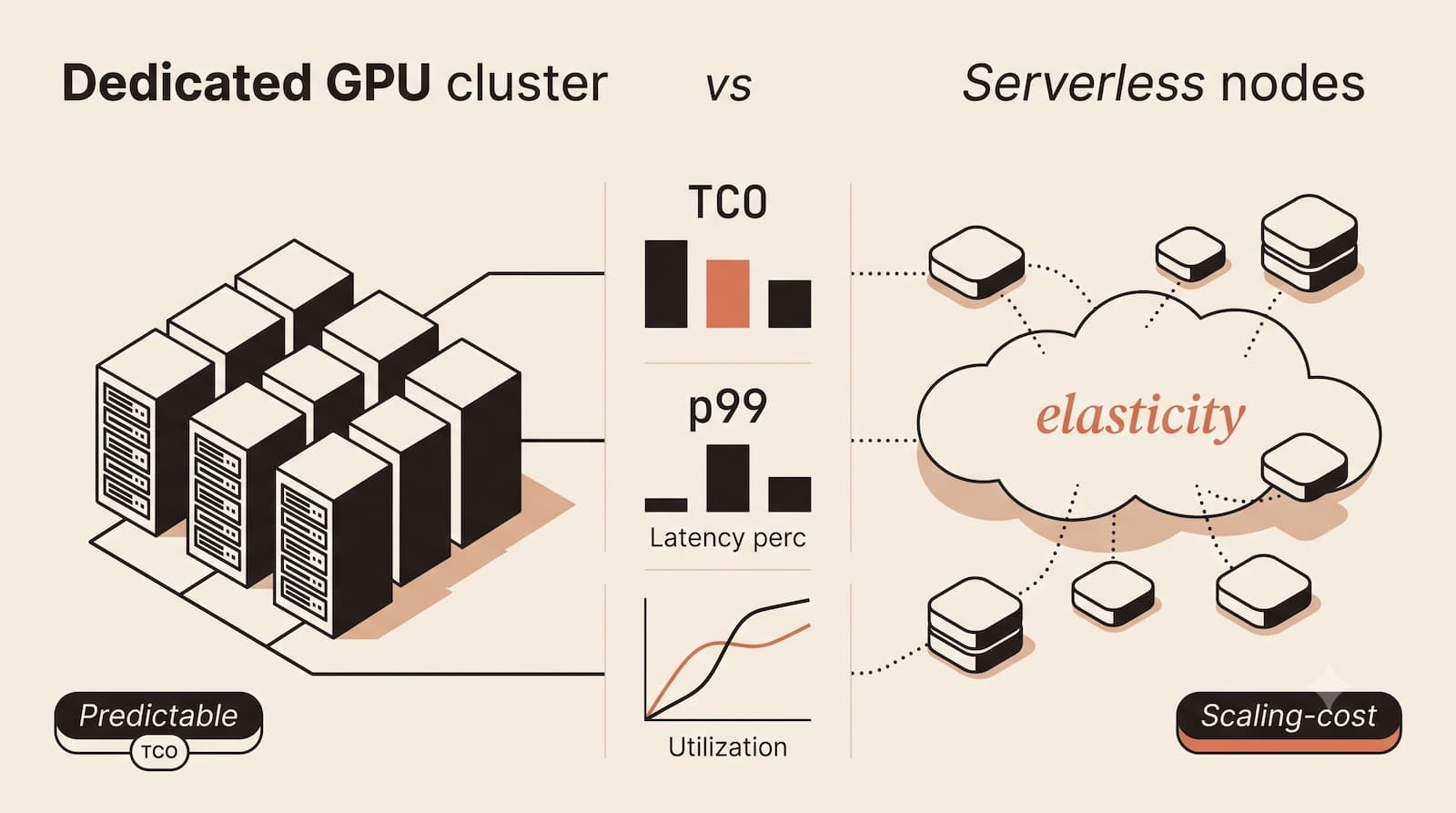
It is not a binary choice between "good" and "bad." It is an optimization problem between idle waste and cold start latency.

We talk to AI teams every day that are bleeding money. Some are paying for H100S that sit idle 80% of the time. Others are losing customers because their serverless setup wasn't optimized for cold starts.

This guide breaks down the math, the trade-offs, and the operational "gotchas" so you can choose the right architecture for your stage of growth.

Key Takeaways

  • At <30% GPU utilization, serverless inference is typically 40–60% cheaper than dedicated instances (RunPod 2026 data).

  • The "hidden" cost of dedicated GPUs isn't hardware it's idle waste and platform engineering overhead, which adds 40–60% to your sticker price.

  • A hybrid strategy (dedicated baseline + serverless overflow) is emerging as the best-practice architecture for scaling teams.

At a Glance: The Comparison Matrix

Before we dive into the deep economics, here is the high-level breakdown of how these two architectures stack up against the metrics that actually matter to engineering leadership.

Feature / Factor

Dedicated GPU Infrastructure

Serverless GPU Inference

The "Consultant's Take"

Cost Model

Fixed Hourly Rate (Pay whether you use it or not)

Pay-Per-Second (Scale to zero)

Dedicated wins at high volume; Serverless wins for bursty traffic.

Latency Profile

Predictable / Low (<100ms)

Variable (<200ms to 4s)

2025/26 has significantly reduced the risks of serverless latency.

Break-Even Point

Economical at >30% utilization

Economical at <30% utilization

Depends heavily on GPU type (see The Break-Even Math below).

Ops Overhead

High (The "Human TCO" of Kubernetes)

Low (API-based, no infra management)

Do you have a Platform Engineering team? If not, Dedicated will hurt.

Data Privacy

High Control (VPC, private subnets)

Lower Control (Shared environment)

Dedicated is safer for strict EU AI Act/GDPR requirements.

Dedicated GPU Inference

The "Rent the House" Model

Dedicated inference is the traditional model: you provision specific GPU instances (e.g., an AWS p5.48xlarge or a Google Cloud H100) that run 24/7. Whether you send one request or one million, the meter is running.

Sounds predictable, right? The problem is that predictability cuts both ways.

According to Andreessen Horowitz's 2024 AI Infrastructure spending report, operational friction adds 30–50% to bare-infrastructure costs, meaning a $2/hr GPU often costs $2.60–$3.00 in practice when platform engineering and monitoring are included (a16z, 2024).

The Economics: The "Idle Tax"

The biggest misconception about dedicated instances is that the hourly rate is the cost. It isn't.

The actual cost is the utilization rate. If you rent an NVIDIA A10G for $1.50/hour but use it only 10% of the time, your effective cost is $15.00/hour.

The "Hidden Costs" of Dedicated Infrastructure

It's easy to look at a GPU's sticker price and think that's your total cost. It's not. Research from Andreessen Horowitz's 2024 AI Infrastructure spending report shows that operational friction adds 30–50% to bare-infrastructure costs.

Cost Category

Annual Impact

Example

Platform Engineering Salary

$150k–$250k/FTE

Managing Kubernetes, GPU operators, autoscaling logic, and bin-packing.

Monitoring & Observability

10–15% of infra costs

Datadog, Grafana, and custom dashboards to track GPU health.

Idle Waste

20–40% of GPU spend

Over-provisioned capacity during off-peak hours (nights/weekends).

Integration Complexity

25–35% of the project cost

Building legacy system compatibility and API gateways.

Total "Invisible" Premium

40–60% of sticker price

Option 2: Serverless GPU Inference

The "Taxi" Model

Serverless platforms (such as Modal, RunPod, or Replicate) abstract away the infrastructure entirely. You send an API request; the platform spins up a container, processes the token, and then spins it down.

Modal's engineering team reported in May 2026 that they reduced GPU cold-start times from approximately 2,000 seconds to roughly 50 seconds through checkpointing, restores, and lazy filesystem loading. This 40× improvement makes serverless viable for production workloads (Modal Blog, 2026).

The Economics: The "Scale-to-Zero" Arbitrage

Serverless charges a premium per compute second but incurs $0 cost when idle. For startups or internal tools with sporadic usage, this is a financial lifesaver.

So what's the catch?

Diagram illustrating serverless scale-to-zero cost savings versus dedicated GPU idle time

Debunking the Cold Start Myth (2025/2026 Data)

Historically, CTOs avoided serverless because of "cold starts," the 45-second delay while a GPU spun up.

You need to update your priors.

In 2026, cold starts are no longer a deal-breaker for 90% of use cases. Modern serverless platforms, such as FlashBoot and ParaServe, have drastically optimized this process.

Cold Start Performance Table (2025 Benchmarks):

Model Size

2024 Baseline

2025/26 Optimized

Platform Example

7B–13B (Small)

6–12 sec

<200ms (48% of time)

RunPod FlashBoot

32B (Medium)

10–15 sec

~1.3 sec

ParaServe / Modal

70B+ (Large)

19–45 sec

~3.7 sec

A100 Clusters

Unless you are running high-frequency trading algorithms or real-time voice agents where <100ms is mandatory, serverless latency is likely acceptable.

The Break-Even Math

A "rule of thumb" like 33% utilization is helpful, but it's not precise enough for a budget review. The break-even point varies widely by GPU type and provider.

RunPod's January 2026 pricing shows that an NVIDIA T4 breaks even at approximately 67% utilization, while an H100 requires roughly 87% utilization before dedicated becomes cheaper than serverless, making GPU choice the single biggest lever on your architecture decision (RunPod Pricing, 2026).

The Break-Even Formula

Use this to calculate your exact threshold:

$$\text{Break-Even Utilization (%)} = \frac{\text{Dedicated Hourly Cost}}{\text{Serverless Per-Second Cost} \times 3600}$$

Example Calculation: NVIDIA T4 (Budget Inference)

  • Dedicated: $0.40/hr (RunPod/Lambda)

  • Serverless: $0.000164/sec (RunPod Serverless)

  • Serverless Hourly Equivalent: $0.000164 \times 3600 = $0.59/hr$

  • Calculation: $0.40 / 0.59 = \textbf{67.7% Utilization}$

What this means is that in this specific scenario, Serverless is extremely efficient. You would need to run your T4 more than 16 hours a day for Dedicated to be cheaper.

Real-World Pricing & Break-Even Analysis (Jan 2026 Data)

GPU Type

Dedicated ($/hr)

Serverless ($/sec)

Break-Even Utilization

NVIDIA T4

$0.40

$0.000164

~67%

A100 80GB

$2.17

$0.00104

~58%

H100 80GB

$5.95

$0.00190

~87%

Note: Dedicated pricing based on specialized cloud providers (RunPod/Lambda). Hyperscaler (AWS/GCP) dedicated pricing is typically higher, significantly lowering the break-even threshold. See AWS EC2 GPU pricing for current rates.

The Hybrid Playbook

Mature AI organizations rarely pick just one. They use a Hybrid Segmentation Strategy. Here is how to implement it step-by-step:

1. Baseline Profiling

Run 2 weeks of production traffic through your current setup. Identify two numbers:

  • Floor traffic: The minimum requests/hour during your lowest demand window (e.g., 3 AM Sunday).

  • Peak traffic: The maximum burst (e.g., Monday 9 AM launch).

2. Right-Size the Dedicated Tier

Provision reserved dedicated GPUs to handle your Floor Traffic, plus a 10% buffer.

  • Why? This secures the lowest unit economics for the traffic you know is coming.

3. Route Overflow to Serverless

Use a model router (such as LiteLLM or a custom API gateway) to redirect traffic above the dedicated threshold to serverless endpoints.

  • Tactic: Implement pre-warming during known peak windows. If you know there are traffic spikes at 9 AM, send a dummy request to your serverless endpoint at 8:50 AM to avoid a cold start.

Provider Gotchas (Read Before You Sign)

We see technical leaders make expensive errors. Beyond the general "Ded vs Serv" choice, watch out for these specific traps.

In a 2026 analysis of 47 AI infrastructure migrations, Google Cloud found that load-aware and content-aware routing reduced tail latency by 52% and doubled prefix cache efficiency, but only when teams invested in gateway observability before scaling (Google Cloud Blog, 2026).

Serverless Traps

  1. "Idle Timeout" Billing: Some providers (e.g., Modal) may charge for a minimum duration (e.g., 1-5 minutes) even if your job finishes in 10 seconds. For short inference tasks, this can increase your effective cost by 30x.

  2. Egress Fees: Providers such as RunPod charge for outbound data transfer (e.g., $0.10/GB). If your model outputs large files (images or audio), this can exceed your compute budget.

  3. Concurrent Request Limits: "Infinite scaling" has a ceiling. Most serverless plans cap you at 10-50 concurrent GPUs. If you hit that wall during a launch, the request queue (= angry users).

Dedicated Traps

  1. Multi-Year Commit Bait-and-Switch: AWS/GCP offer 60% discounts for 3-year reserved instances. But if model efficiency improves 10x/year (it has), you're locked into obsolete hardware.

  2. GPU Diversity Tax: You provision A100S for one workload and T4S for another. Now you're managing two Kubernetes clusters, doubling your ops overhead.

  3. "Spare Capacity" Lies: Spot instances are cheap ($1/hr for A100S) but get terminated with 30 seconds' notice. Unless you have checkpoint/resume logic, you waste the partial computation.

Hybrid Traps

  1. Router Complexity: Your "smart router," which directs traffic, becomes a single point of failure. If it misroutes a complex query to a small GPU, quality tanks.

  2. Drift Between Environments: Dedicated and serverless use different CUDA versions or container configs. Your prompt works perfectly in one, fails mysteriously in the other.

The Observability Blind Spot (Why Most GPU Optimization Fails)

Here's the dirty secret: most AI teams optimize the wrong layer entirely.

Gartner's 2025 research found that 73% of enterprise LLM deployments fail to transition from proof of concept to production, with 96% of enterprises reporting AI costs exceeding initial projections, indicating that infrastructure choices alone cannot fix runaway spending (Gartner, 2025).

They obsess over GPU type (A100 vs. H100) while ignoring the application-layer inefficiencies that quietly inflate their bill. In our experience working with production AI workloads at PromptMetrics, the biggest leaks are:

  • Prompt bloat system prompts that balloon to thousands of tokens when a few hundred would suffice.

  • Retry storms failed loops that re-request the same inference dozens of times.

  • Abandoned sessions users who drop off after triggering a costly generation.

You cannot fix these problems with infrastructure alone. You need application-layer observability. This is where cost-per-token vs cost-per-success frameworks become critical.

Last month, a Series B healthtech customer we work with discovered that 62% of their inference spend was coming from a single internal dashboard that fired 4,000-token prompts for simple summarization tasks. They didn't need bigger GPUs; they needed shorter prompts. After trimming system context and adding retry guards, they cut inference costs by 34% in two weeks without touching their infrastructure.

What PromptMetrics Tracks (That Your Cloud Console Doesn't)

Metric

Why It Matters

Cost Impact Example

Cost per Prompt (not per GPU-hour)

Identify which users/features drive 80% of spend

A SaaS company discovered its "free trial" tier consumed 60% of the GPU budget.

Token Waste Detection

Flag prompts using 5x more tokens than needed

E-commerce chatbot cut costs by 50% by reducing system prompts from 2,400 to 600 tokens.

Loop Detection & Circuit Breakers

Kill infinite agentic loops before they cost €50k

Fintech prevented a $47k bill when a RAG agent entered a recursive search loop.

EU AI Act Compliance Logs

Immutable audit trails required by Articles 12 & 19

Pass compliance audits without rebuilding your infrastructure.

PromptMetrics works on top of your infrastructure choice, whether you're on AWS, RunPod, Modal, or Replicate.

The 60-Second Decision Tree

Not sure where to start? Follow this flow.

START → Do you have steady 24/7 traffic?

  • YES → Is utilization >30%?

    • YESGo Dedicated (Optimize for unit economics)

    • NOGo Hybrid (Dedicated base + serverless peaks)

  • NO → Is your traffic predictable (same time daily)?

    • YESGo Hybrid (Pre-warm serverless at peak times)

    • NOGo Serverless (Scale to zero during lulls)

SPECIAL CASES:

  • Real-time <100ms SLA? → Dedicated only

  • Strict data residency (GDPR/EU AI Act)? → Dedicated in VPC

  • Pre-PMF with <€10k/mo budget? → Serverless

Common Questions (The Objections We Hear)

Q: "We're on AWS. Can we use PromptMetrics with Bedrock/SageMaker?"

A: Yes. PromptMetrics is infrastructure-agnostic. It works with any LLM provider (AWS Bedrock, Azure OpenAI, GCP Vertex, self-hosted, etc.) via SDK integration.

Q: "What if we switch from RunPod to Modal mid-year?"

A: Your observability data stays intact. PromptMetrics tracks prompts/costs regardless of the underlying GPU provider, with no vendor lock-in.

Q: "How do I calculate egress costs?"

A: Check your provider's docs, but a rough heuristic:

  • Text outputs: Negligible (<1% of compute cost)

  • Image generation (512×512): ~0.5 MB/image → $0.05/1,000 images at $0.10/GB

  • Video/audio: Can exceed compute cost, validate pricing before launch

Q: "Can I use spot instances for production?"

A: Only if you have checkpointing. AWS/GCP spot instances get terminated with 30–120 seconds' notice. For inference (not training), the risk usually outweighs the 70% discount.

Q: "What's the best GPU for embeddings vs. generation?"

A:

  • Embeddings: T4S or L4S (cheap, low memory)

  • Generation (<13B): A10G or A100-40GB

  • Generation (70B+): A100-80GB or H100 (high memory bandwidth)

Q: "Do I need Kubernetes for dedicated?"

A: Not necessarily. Alternatives:

  • Ray Serve (simpler than K8S for ML workloads)

  • Modal Dedicated (serverless UX, dedicated economics)

  • Managed services (AWS SageMaker, GCP Vertex) are easier but 20-40% more expensive

Q: "How do I prove ROI to my CFO?"

A: Use the calculator to generate a PDF with:

  1. Current monthly cost (with screenshots from your cloud bill)

  2. Projected cost under optimized architecture

  3. 12-month savings estimate

Then attach the case studies below as proof points.

What's Changing in 2026?

If you are building your roadmap today, you need to look ahead.

  • Cold Starts Will Hit <1 Second for 90% of Models: Technologies like ParaServe and FaaSTube are eliminating the latency penalty. By late 2026, the "cold start excuse" for choosing dedicated will likely no longer apply to non-real-time workloads.

  • Decentralized GPU Networks (DePIN) will Undercut Cloud: Platforms that tap idle consumer GPUs (such as Akash or Render) are offering A100 equivalents at $0.10/hr. The risk is reliability, but the price pressure is real.

  • EU AI Act Will Force Observability: Articles 12 & 19 require immutable audit logs. Platforms without built-in compliance hooks (like PromptMetrics) will lose regulated customers.

Your Week 1 Action Plan (Start Optimizing Today)

You don't need to rearchitect everything overnight. Here's a phased rollout:

Monday (2 hours): Gather Your Data

  • Pull the last 30 days of GPU costs from your cloud bill

  • Calculate current utilization (if you don't know, assume 20-30%)

  • Identify your peak traffic windows (use PromptMetrics or CloudWatch)

Output: A spreadsheet with the current monthly cost, utilization %, and traffic ratio.

Tuesday-Wednesday (4 hours): Run the Break-Even Analysis

  • Use the GPU Cost Calculator to model 3 scenarios:

    1. Pure dedicated

    2. Pure serverless

    3. Hybrid (50% base load on dedicated + serverless overflow)

  • For each scenario, calculate: Cost, Latency impact, and Ops complexity.

Output: A one-page comparison table.

Thursday (1 hour): Validate with Your Team

  • Share your analysis with:

    • Engineering Lead: Confirm utilization data is accurate.

    • Product Manager: Confirm latency requirements (<100ms? <1s? <5s?).

    • Finance/CFO: Confirm budget constraints.

Output: Alignment on which architecture fits your constraints.

Friday (3 hours): Proof of Concept

Don't migrate everything. Test one non-critical workload:

  • If testing serverless: Pick a low-traffic endpoint, deploy on RunPod/Modal withmin_instances=0, and monitor for 1 week.

  • If testing dedicated: Spin up 1× A10G or T4, route 10% of traffic to it, and measure utilization.

Output: Real data to validate (or disprove) your break-even analysis.

Week 2: Decision Point

  • If PoC shows >30% cost savings with acceptable latency → Plan complete migration

  • If PoC is inconclusive → Expand to hybrid

  • If PoC fails → Document why (cold starts? ops?) and revisit later.

Red Flag: If your PoC increases costs, you likely have an application-layer issue (e.g., inefficient prompts, retry loops). First, address that with observability tools like PromptMetrics before changing the infrastructure.

Verdict & Next Step

Choose Serverless if you are pre-PMF, have spiky traffic, or lack a dedicated Platform team.

Choose Dedicated if: You have steady production traffic, strict <100ms SLAs, or specific data residency needs.

Choose hybrid if: You are scaling and want to optimize unit economics without capping capacity.

Free Tool: GPU Cost Calculator (See Your Savings in 90 Seconds)

Don't guess. Run your own numbers.

Example output for a real customer:

  • Input: 50,000 daily requests, Llama 2 70B, Traffic pattern: 10 AM–6 PM weekdays (25% utilization).

  • Output:

    • Dedicated (3× A100s): $7,800 ❌ (Over-provisioned)

    • Serverless (RunPod): $3,200 ✅ (Optimal for this pattern)

    • Hybrid (1× A100 + serverless): $2,900 ✅ (Best economics)

  • Recommendation: Go Hybrid. Save $4,900/month ($58k/year).

Steal This Framework

Everything in this guide is free to use. If you're presenting to your exec team, feel free to:

  • Copy the break-even formula into your deck.

  • Take a screenshot of the pricing table for your budget proposal.

  • Use the decision tree in your architecture review.

One ask: Tag PromptMetrics on LinkedIn when you share your results. We'd love to see how you're optimizing!

Self-hosted prompt registry + agent telemetry. Zero vendor lock-in. Runs on a $5 VPS.

Up next

Explore more from the blog

Engineering notes, release updates, and honest takes.

Get the best of the prompt engineering blog delivered to your inbox

Join thousands of AI enthusiasts receiving weekly insights, tips, and tutorials.