
If you lead an AI engineering team, you are likely under immense pressure to deliver "frictionless" experiences. Stakeholders want answers to be instant, the interface to be clean, and the interaction to feel like magic.
But here is the uncomfortable truth: That "seamless" experience is precisely why your users are falling for hallucinations.
In the era of deterministic software, friction was a bug. In the era of probabilistic AI, risk-weighted friction is a safety feature.
When your interface looks like an Oracle, authoritative, confident, and instant, your users will treat it like one. When the model inevitably hallucinates (and it will), a "seamless" UI effectively launders that error, presenting a stochastic guess as a verifiable fact. This isn't just a model failure; it is an interaction failure. It creates automation bias, invites regulatory scrutiny under the EU AI Act, and destroys trust when it matters most.
Strategic Insight: Appropriate reliance is a system property that emerges from UX, incentives, measurement, and operational policy, not from model quality alone. A CHI 2025 study by Bo, Wan & Anderson found that while UI interventions reduce over-reliance, only structured reliance disclaimers significantly improved appropriate reliance — uncertainty highlighting alone actually made things worse. (Adapted from Buçinca et al. (Harvard) and Microsoft Research).
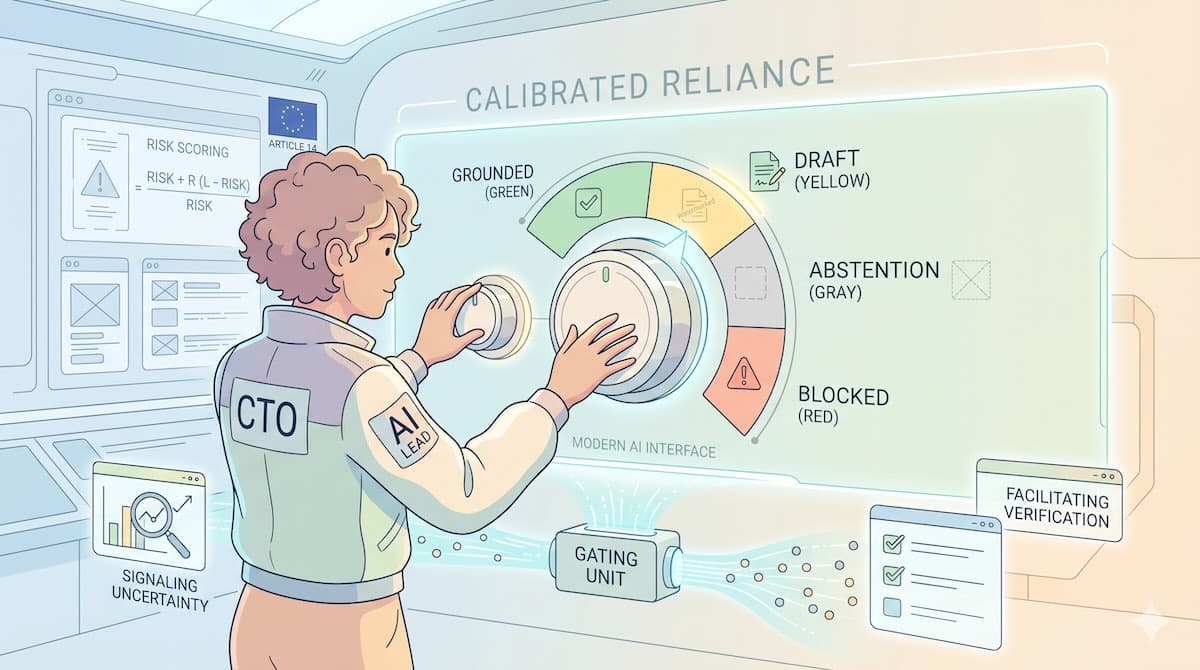
Here is a strategic framework for moving beyond "magic" and designing for Calibrated Reliance, ensuring users trust your AI when it's right, and catch it when it's wrong.
Key Takeaways
47% of enterprise users act on hallucinated AI outputs, and traditional "seamless" UIs make this worse by laundering stochastic guesses as facts (NN Group, 2024).
Calibrated reliance means designing interfaces that signal uncertainty, facilitate verification, and block dangerous outputs — not maximizing blind trust.
EU AI Act Article 14 mandates human oversight capabilities (monitor, understand, override, stop) for all high-risk AI systems by August 2026.
The minimum viable safety UI needs four things: an abstention state, micro-checks for high-stakes workflows, a safe halt mechanism, and anti-gaming retry limits.
What Is Calibrated Reliance and Why Should CTOs Care?
We have spent twenty years training users to trust the screen. When a database returns a row, it is factual. Users bring that same mental model to LLMs. Research from Microsoft and Harvard suggests that the goal of AI UX is not "maximum trust," but "Appropriate Reliance."
Your UI must achieve three specific goals:
Build Realistic Mental Models: Help users understand what the system can and cannot do (it is a probabilistic engine, not a truth database).
Signal When to Verify: Clearly indicate when the model is uncertain or when the stakes are high.
Facilitate Verification: Reduce the "interaction cost" of checking facts so users actually do it.
The "User Risk" Multiplier
Risk is not just about the task; it is about the user. Over-reliance risk rises significantly for:
Novice Users: Who lack the domain expertise to spot subtle errors.
Low AI Literacy: Those who attribute human competence to the "chatbot."
Low Task Familiarity: When users use AI to do things they don't know how to do themselves.
CTO Takeaway: Your risk class is Task Risk × User Vulnerability. A "Low Stakes" summarization task becomes "High Risk" if the user cannot verify the source material.
Warning: The Risk of "Placebo Transparency"
You might think the solution is simply showing citations or confidence scores. Be careful.
Research shows that explanations often do not reduce over-reliance. In fact, they can function as "placebo transparency" users see a citation and assume the text is accurate without checking the link, treating the UI element as a "competence cue."
Crucially, verification aids themselves can hallucinate. If your citation link is broken or points to an irrelevant page, you have increased trust while decreasing accuracy.
How Do You Model AI Risk in User Interfaces?
The NIST AI Risk Management Framework and its Generative AI Profile (NIST AI 600-1) identify confabulation and human-AI over-reliance as two of the 12 defining risks of generative AI. Friction is not universally good. If you add "Click to Verify" to a low-stakes creative brainstorming tool, you kill utility. But if you strip friction from a high-stakes medical summarizer, you invite malpractice.
A. The Risk Scoring Formula
To operationalize this, use a derived risk score to determine your UI controls:
Risk Score = (Stake Impact) * (Reversibility Cost) * (User Vulnerability + Automation Level) / Error Detectability
Stake Impact: Financial/Safety consequence.
Reversibility: Can we "undo" the action?
Detectability: How hard is it for a human to spot the error? (Rare/Subtle errors are harder to detect, requiring higher friction).
B. The Decision Matrix
Risk Level | Context | Reversibility | UI Strategy | Required Friction |
High Stakes | Legal review, Medical coding, Financial advice | Irreversible (or high cost to fix) | Cognitive Forcing | Mandatory: Pre-export checklists, "Human-in-the-loop" gating, detailed provenance. Even "Green" states require confirmation via Micro-Checks. |
Agentic | Database writes, Email sending, Purchase execution | Partially Reversible (Soft deletes possible) | Circuit Breakers | Mandatory: Confirmation dialogs summarizing the action before execution. Emergency Stop buttons must attempt to cancel or roll back. |
Low Stakes | Ideation, Summarizing generic text, Drafting | Reversible (Easy to edit) | Light Signalling | Optional: Confidence badges or highlighting. Note: Treat these as productivity affordances, not safety mitigations. |
C. The "Impact Headline" Exercise
For every High-Stakes or Agentic workflow, perform this pre-mortem:
Write the headline: "AI Agent Accidentally Deletes Production Database" or "Chatbot hallucination leads to €50k compliance fine."
Quantify Blast Radius: Users affected, dollars lost, legal exposure.
If the headline is existential, the friction must be mandatory.

What Types of AI Hallucinations Should Your UI Handle?
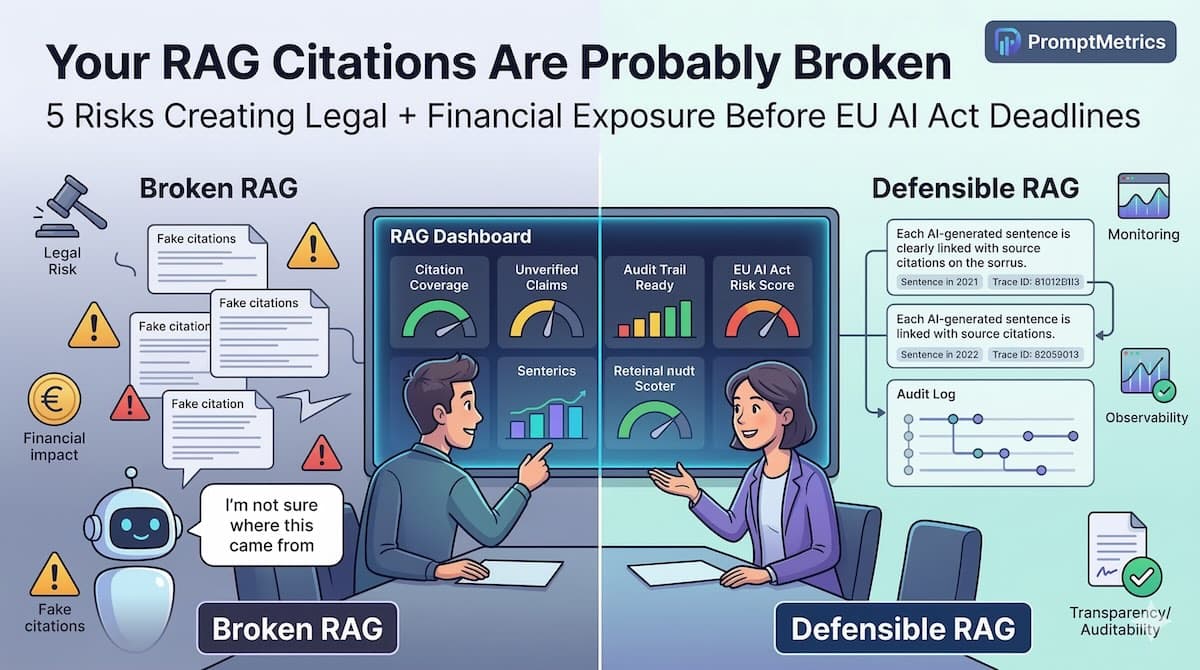
"Hallucination" is too broad a term for engineering teams. The NIST GenAI Profile identifies multiple failure modes under its confabulation risk category. Different types of errors and attacks require different interface mitigations — and as we covered in our RAG security deep-dive, source-level attacks like poisoning can bypass model-level guardrails entirely.
A. Fact-Conflicting Hallucinations
What it is: The model invents a fact (e.g., a fake legal precedent).
The Fix: Granular Citations. Link to the specific chunk. Avoid linking to full PDFs or long documents without snippet highlighting, as the interaction cost is too high, and users won't verify.
B. Source Confabulation (The "Dead Link" Risk)
What it is: The model hallucinates the citation itself (e.g., linking to a broken URL or a real document that doesn't contain the claim).
The Fix: Pre-Generation Integrity Check. Your backend must verify the link exists and contains the quoted span before showing it.
The Fallback: If integrity fails, block or redact the specific claim. Do not show text supported by a ghost.
C. Injection & Poisoning (The Security Risk)
What it is: The source exists, but the content is malicious (Prompt Injection) or unsafe.
The Fix: This cannot be solved by integrity checks alone. Requires Content Safety Scanning, Corpus Trust Tiers (only ingest from allow-listed domains), and Sandboxing for tool execution.
D. Input-Conflicting Hallucinations
What it is: The model ignores a negative constraint (e.g., "Summarize in 50 words").
The Fix: Disagreement Banners. Proactively flag when the output drifts from constraints.
How Do You Build a Hallucination-Aware UI State Machine?
For a CTO, the question is: "What do we actually build?" You need a UI State Machine that changes the interface based on backend reliability signals. Research from Microsoft Research confirms that showing sources and surfacing inconsistencies reduces reliance on incorrect AI outputs — but explanations alone can backfire, increasing trust in wrong answers, too.
The Signals: The Frontend Contract
To drive this state machine, your backend must provide more than just a text string. Your API response should include a "Reliability Payload."
Note: These fields are system-level signals produced by the orchestrator and evaluators, not truths reported by the model itself.
Example reliability payload (illustrative):
JSON
{
  "faithfulness_score": 0.92,       // EST (Estimated) fraction of claims supported
  "judge_verdict": "PASS",          // Result from lightweight judge model
  "source_integrity": "VALID",      // Did we verify the links exist?
  "policy_flags": [],               // PII or safety triggers
  "stop_supported": true,           // Can this action be interrupted via API?
  "action_reversibility": "HIGH"    // Business logic flag for agentic workflows
}
Note on Metric Integrity: faithfulness_score. It is an estimator. It is not a truth meter. Treat 0.92 and 0.89 as the same bucket. Use coarse buckets (High/Medium/Low) for UI gating to prevent false precision.
Pattern A: User-First Decision Capture (The Anchor)
Before showing the AI response in decision-support tasks:
UI: Ask the user: "What is your current hypothesis?" or "Select your intended code fix."
Why: This anchors the user's own judgment (reducing automation bias) and creates the data point required to measure Switch Fraction accurately.
State 1: The "Grounded" State (Green)
Trigger: Faithfulness > High Threshold AND Source Integrity Valid AND Judge "PASS".
UI: Standard chat interface. Citations are collapsed, but each claim has a one-click snippet preview.
Action (High Stakes): Micro-Checks. Do not just ask users to "view source." Require a specific micro-interaction that requires content discrimination (e.g., "Select which of these two snippets supports the claim"). This avoids "click-through theater."
State 2: The "Draft" State (Yellow)
Trigger: Faithfulness < High Threshold OR Judge "UNCERTAIN".
UI: The Governor Pattern. Text appears in gray/low opacity. A "Draft" watermark overlay.
Action: Disagreement Highlight. Proactively flag the conflict: "This claim conflicts with Source 2." The user must resolve this conflict before the "Finalize/Export" button unlocks.
State 3: The "Abstention" State (aka Retrieval-Only Mode)
Trigger: Judge "FAIL" OR Source Integrity Invalid.
UI: Do not generate text. Synthesis here is dangerous.
Action: Preserve the workflow. Do not just dead-end the user.
Show: "I can't generate a confident summary."
Offer: "Here are the top 3 relevant snippets."
Action: "Ask a narrower question" or "Escalate to Human Agent."
State 4: The "Blocked" State
Trigger: policy_flags It is not empty (PII, Safety, Injection).
UI: "Generation Stopped." Explanation of safety trigger.
Action: Hard stop. Escalate to human admin if necessary.
💡 Operational Policy: Anti-Gaming (Retry Budget)
Once users learn that "Draft" blocks export, they will try to route around the friction by regenerating until they get a stochastic "Green."
The Fix: Implement a Retry Budget.
Policy: "In high-stakes contexts, allow N regenerations (e.g., 2). After that, force retrieval-only mode or escalate to human review."
Who Monitors AI Output Quality and How?
A UI is only as good as the governance behind it. CTOs must define the "Who" and "How" of monitoring. As we explored in our eval datasets guide, 47% of enterprise users act on hallucinated AI outputs — which means monitoring isn't optional, it's the feedback loop that keeps your UI state machine honest.
A. Ground Truth Ownership
Who defines "Correct"? Faithfulness scores are just estimators. You need a human baseline.
Policy: For each high-stakes use case, define ground-truth procedures.
Who: SME (Subject Matter Expert) Review Rubric.
Frequency: Random sampling of 1-5% of production traces weekly.
Trigger: If the Judge Model diverges from Human Labels by >10%, trigger investigation (model drift, data drift, or labeling error).
B. The Anomaly Panel (Monitoring Control)
Article 14 requires the ability to "monitor for anomalies." This goes beyond logs.
The Pattern: Create a dedicated dashboard view for your internal operators (SREs or Compliance Officers).
Surface:
Source Confabulation spikes (Model inventing links).
Repeated Retry loops (Users gaming the system).
Policy near-misses (Safety filter triggers).
Action: One-click "Escalate" or "Kill Switch" for specific prompt versions.
What Does the EU AI Act Require for Human Oversight?
This isn't just about good UX; it's about regulatory survival. The EU AI Act Article 14 takes full effect on 2 August 2026 and applies to any company serving EU users — it has extraterritorial reach.
Article 14 (Human Oversight) of the EU AI Act requires explicitly that high-risk AI systems be designed with "human-machine interface tools" that enable natural persons to monitor, understand, override, interrupt, and detect anomalies.
Defining the "Safe State" (The Stop Button)
Article 14 requires that a system can be brought to a halt in a "safe state."
Legal Intent: The system must stop harming.
Product Requirement: The Stop function must attempt to cancel pending tool calls. In distributed systems where cancellation isn't guaranteed (e.g., an API call has already been sent), it must trigger compensating actions/rollbacks (e.g., "Undo Soft Delete" or "Issue Refund").
Safe State Definition by Class:
Agentic: "No further side effects; pending actions quarantined; compensations queued; operator alerted."
Decision Support: "Output frozen and labeled 'interrupted'; audit trail preserved; export locked until senior review."
What Metrics Prove Your AI Safety UI Is Working?
Metrics alone don't prove safety. You need a consistent data model to evaluate if your mitigations are working or backfiring. The CHI 2025 study on calibrated reliance found that participants became more confident when making incorrect reliance decisions — a dangerous miscalibration pattern that your telemetry must catch (Bo, Wan & Anderson, 2025).
Minimal Event Schema
Your telemetry pipeline should capture these events to diagnose "Placebo Transparency" or "Gaming."
Events: verify_preview_opened, microcheck_failed, finalize_clicked, stop_pressed, rollback_succeeded, retry_budget_exhausted.
Dimensions: risk_class (High/Low), user_role, faithfulness_bucket, judge_verdict, prompt_version, user_cohort.
Key Metrics
Hallucination Detection Rate (HDR): Validated via the "Trick Protocol" (injecting errors in staging).
Switch Fraction: (Requires User-First Decision Capture). How often do users change their hypotheses based on AI input?
Intervention Rate: Frequency of Stop/Rollback actions.
7. The CTO's "Minimum Viable Safety UI" Checklist
If you are evaluating your AI stack, here is the roadmap for the next 90 days:
1. The Safety Rails (Frontend)
[ ] Abstention State: Does the UI degrade to "Retrieval-Only" (not synthesis) on Judge Fail?
[ ] Micro-Checks: Do High-Stakes workflows require content discrimination (not just "viewing")?
[ ] Safe Halt: Does the Stop button trigger compensating transactions for agentic actions?
[ ] Anti-Gaming: Is there a max-retry limit for high-stakes queries?
2. The Signals (Backend)
[ ] Contract: Does the API return faithfulness_score, judge_verdict, and action_reversibility?
[ ] Telemetry: Are we tracking "Switch Fraction" and "Override" events?
[ ] Ground Truth: Is there a sampling pipeline for human validation?
Frequently Asked Questions
What's the difference between calibrated reliance and trust?
Trust is binary — you either trust the system or you don't. Calibrated reliance means users trust the AI when it's correct and verify when it's uncertain. A CHI 2025 study found that UI interventions which reduce over-reliance often increase under-reliance — the goal is balance, not maximization.
How does the EU AI Act Article 14 affect my product roadmap?
If your AI system qualifies as high-risk, you need human-machine interface tools enabling oversight by August 2026. This means monitoring capabilities, override mechanisms, and a "stop" button that brings the system to a safe state. Even for non-high-risk systems, Article 14 provides the best-practice blueprint for responsible AI UX.
What's the minimum viable safety UI for a B2B SaaS AI product?
Four things: (1) an abstention state that degrades to retrieval-only when confidence is low, (2) micro-checks requiring content discrimination in high-stakes workflows, (3) a safe halt that triggers compensating transactions for agentic actions, and (4) a retry budget to prevent users from gaming the system.
How do I measure if my hallucination mitigations are working?
Track three metrics: Hallucination Detection Rate via the Trick Protocol (injecting known errors in staging), Switch Fraction (how often users change their hypothesis after seeing AI output), and Intervention Rate (frequency of stop/rollback actions). Ground truth sampling — human review of 1-5% of production traces — validates your automated metrics.
Safety is Infrastructure
You cannot solve the hallucination crisis with better prompt engineering alone. It requires a fundamental shift in how we design the interaction between human and machine — moving from "Seamless" to "Honest." This is the same architectural thinking we apply when building AI-native companies: the interface is the safety system.
Tools like PromptMetrics provide the observability backbone for this shift: tracking prompt performance, version history, and compliance logs. But the core insight is independent of any specific tool — calibrated reliance is a design discipline, not a product feature.